
Tapcheck Mastercard®
Apply for the Card That Puts You in Charge of Payday!
If payday always feels too far away, you’re going to love this card! Load your on-demand earnings directly to the Tapcheck Mastercard, and use it to make in-store purchases, online payments, and ATM withdrawals. No waiting for weeks. No checks to cash. Just your wages, your way.
Earned Wage Access is not sponsored, endorsed, administered by, or associated with the Central Bank of Kansas City, the issuer of the Tapcheck Mastercard, who has no liability in relation to Earned Wage Access.
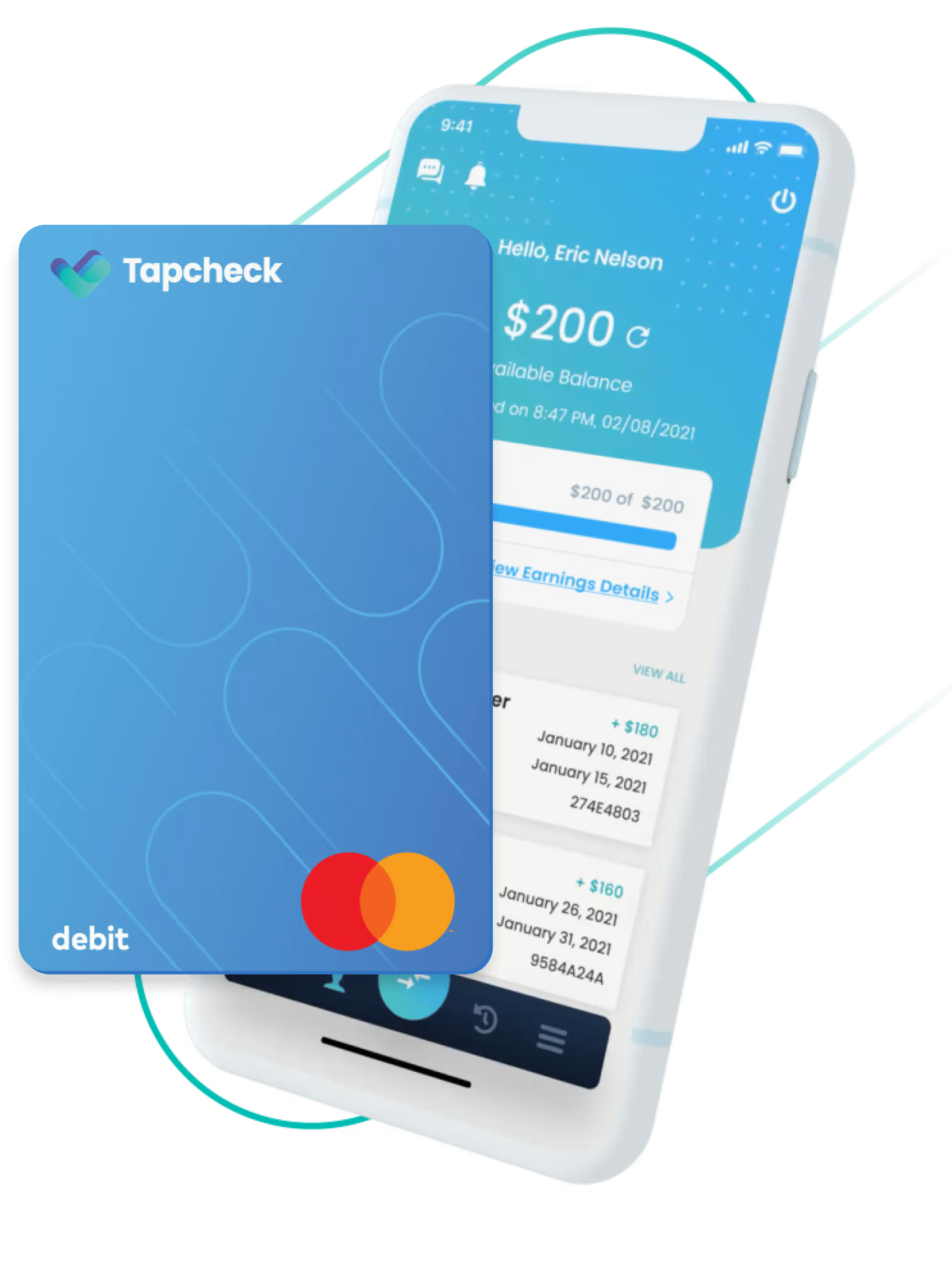
Convenience. Control. Security.
Tapcheck Mastercard®
When you apply for the Tapcheck Mastercard via the Tapcheck app, you get more than just a prepaid card. You get financial flexibility and protection with benefits that include:

Direct Deposit
2-day early direct deposit available to employees on our Tapcheck Mastercard
On-Demand Earnings
Transfers Between Tapcheck Card Holders
In-App Management
Mobile Wallet
Financial Education Included
No Hidden Fees*
Surcharge-free MoneyPass® ATM withdrawals (in-network)
Direct Deposit
Accepted Everywhere Debit Mastercard is Accepted
Digital Card Information & Physical Card
Your Money
The Tapcheck Mastercard ensures the wages you’ve earned are available when you need them.
Your Schedule
On payday or right away, use the Tapcheck Mastercard to get the money you’ve earned whenever you want.

Your Choice
Use your card for everything from day-to-day purchases and ATM withdrawals to mobile payments and online transactions.

Frequently Asked Questions
We want to deliver the best experience and service for those using the Tapcheck Mastercard. That’s why we’ve listed out additional features, benefits, and answers to frequent questions we get asked.
There are two ways to activate your new card after you receive it in the mail:
- Go to the “Card” section in the Tapcheck mobile app, click the “Track My Card Delivery” option, and then select the “Activate My Card” button
- Or call the activation number listed on the back of the card and follow the prompts to activate your new card
When you receive your new card in the mail:
- Open the Tapcheck mobile app
- Go to the “Card” section
- Click on the “More Card Options” menu on the screen
- Select the “Set/Reset Card PIN” option
- Open the Tapcheck mobile app
- Go to the “Card” section
- Click on the “More Card Options” menu on the screen
- Select the “Direct Deposit Account Info” option to find the account number, routing number, and direct deposit setup form
- Open the Tapcheck mobile app
- Go to the “Card” section
- Click on the “More Card Options” menu on the screen
- Select the “Set/Reset Card PIN” option
Go to the “Notification Settings” page in the Tapcheck mobile app, located in the “More” Menu, and turn on the card-related notifications to customize your alerts for purchases, fraud activities, direct deposit, and more!
- Open the Tapcheck mobile app
- Go to the “Card” section
- Click on the “More Card Options” Button on the Card Management page
- Tap “Track My Card Delivery” to track your card shipment
Once approved, your Tapcheck Mastercard should arrive within 7-10 business days. If you have still not received your card, please contact us by chatting with us in the app.
- Open the Tapcheck mobile app
- Go to the “Card” section
- Click on the “Full Card Info” button that is on the card image to view your card’s full number, expiration date, and 3-digit security code
- Open the Tapcheck mobile app
- Go to the “Card” section
- Click on the “Add Money to Card” button and follow the transferring process to transfer the funds
- Open the Tapcheck mobile app
- Go to the “Card” section
- Click on the “More Card Options” button
- Tap “Lock/Unlock Card”
- Open the Tapcheck mobile app
- Go to the “Card” section
- Click on the “More Card Options” button
- Tap “Download Monthly Statement”
- Select the desired month and year to download your statement
- First, make sure your card PIN is already set up
- Then add the card information to your mobile wallet
The Tapcheck Mastercard is a Mastercard prepaid card. It is linked to your Tapcheck account and allows you to spend your earned wages everywhere Debit Mastercard is accepted.
If this is your first time, open the Tapcheck app and select the “Tapcheck Card” option on the bottom to apply for a card.
*See Cardholder Agreement and Fee Schedule for a full listing of fees and limitations here.
No, there is no cost to apply for the card and no fees for domestic purchases where Debit Mastercard is accepted.*
Yes.
Take Control of Your Earnings
Apply for the Tapcheck Mastercard!
Just download the Tapcheck app*, log into your account, and apply for your card. That’s all it takes to start doing payday your way!
*Standard text message and data rates from your wireless service provider may apply. IMPORTANT INFORMATION ABOUT PROCEDURES FOR OPENING A NEW CARD ACCOUNT: To help the government fight the funding of terrorism and money laundering activities, federal law requires all financial institutions to obtain, verify, and record information that identifies each person who opens a Card Account. What this means for you: When you open a Card Account, we will ask for your name, address, date of birth, and other information that will allow us to identify you. We may also ask to see a copy of your driver’s license or other identifying documents. The Privacy Policy applicable to your Tapcheck Mastercard issued by Central Bank of Kansas City is available here.
Early ACH Disclosure: Many (but not all) employers, government benefits providers, and other originators send direct deposits early with an effective date of 1-2 days later. Beginning with your second direct deposit of at least $5 from the same source, the Central Bank of Kansas City (CBKC) will post the funds to your Tapcheck Mastercard when we receive it, rather than on the effective date. This may result in your having access to the funds sooner. The date CBKC receives your direct deposit and the effective date are controlled by the originator. If you already have a Tapcheck prepaid card issued by another bank, you need to complete the enclosed form to have your direct deposit sent to CBKC to be eligible for the early direct deposit feature.
The Tapcheck Mastercard is issued by Central Bank of Kansas City, Member FDIC, pursuant to a license by Mastercard International Incorporated. Mastercard is a registered trademark, and the circles design is a trademark of Mastercard International Incorporated. Certain fees, terms, and conditions are associated with the approval, maintenance, and use of the Card. You should consult your Cardholder Agreement and the Fee Schedule. If you have any questions regarding the Card or such fees, terms, and conditions, you can contact us toll-free at 844-404-0389, 24 hours a day, 7 days a week.
Earned Wage Access is not sponsored, endorsed, administered by, or associated with Central Bank of Kansas City, the issuer of the Tapcheck Mastercard, who has no liability in relation to Earned Wage Access.
Want to Learn More?
Sign up for a demo of Tapcheck to learn how it can revolutionize payday for your team.

Send a message
Have a question? Need help getting set up? Contact our support team.

Mobile app
Download the mobile app for on-demand pay. Now on iOS and Android.